
Why 'Points Earned' Isn't the Same as Real Pay
Every GPT (get-paid-to) platform shows you a number that feels like money: points, credits, a running balance ticking upward as you finish surveys and offers. But that number isn't your real hourly pay. It doesn't count the twelve minutes spent on screening questions before disqualification, or the offer that promised $3 but paid $0.40 after "partial credit." And it doesn't tell you when that balance actually becomes usable cash in your Interac, PayPal, or gift card account.
GPT earnings Canada content almost always answers "how much can you make" with a vague range — $50 to $300 a month — which is useless personally, since your task mix, disqualification rate, and patience differ from the next person's. The only way to know your real hourly pay on any GPT platform is to log it yourself for a week or two and do the math. That's what this guide walks through — a five-column spreadsheet, two formulas, and a benchmark to judge the result against. For broader earning expectations, How Much Can You Earn Taking Surveys in Canada? is a useful companion read, but this article is about measuring your own numbers, not trusting anyone else's average.
The 5 Columns Your Spreadsheet Actually Needs
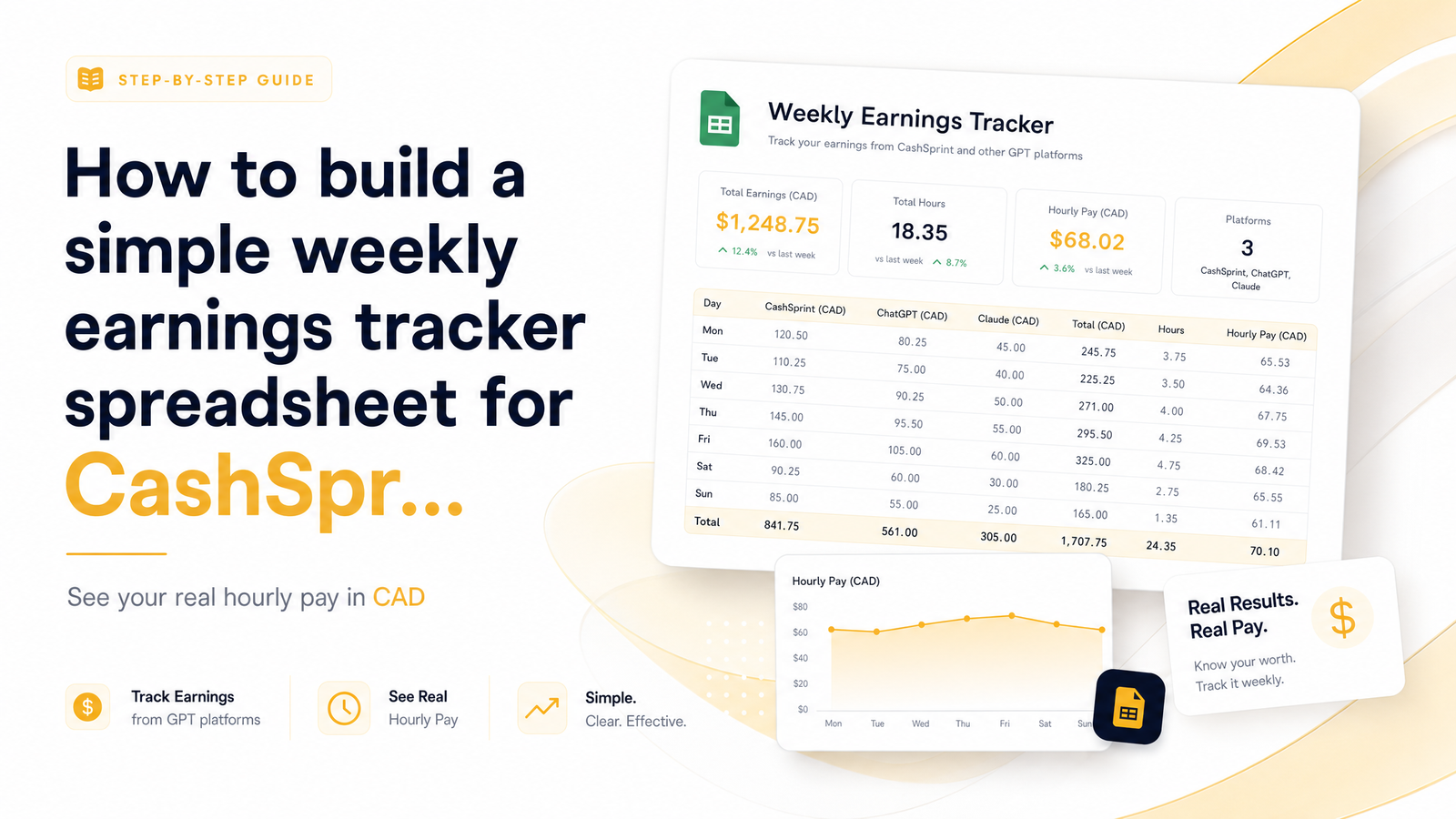
You don't need budgeting software or a finance degree. A blank Google Sheets or Excel file with five columns builds a working GPT earnings tracker template:
- Date — the day you completed the task.
- Platform — CashSprint, or whichever other site you're logging.
- Task/Activity — survey, offer wall, game, cashback purchase, referral bonus, etc.
- Time Spent (minutes) — start-to-finish, including screening and disqualifications.
- Payout (CAD) — what you were actually credited, not what was advertised.
Add a sixth, optional column — Cash-Out Date/Method — and you've covered everything the rest of this guide relies on. Keep it flat: one row per task, no merged cells, no colour coding. Entering a row should take ten seconds, because a tracker you abandon after three days is worth nothing.
Log every task, even the ones that pay zero. A disqualified survey that ate eight minutes is still eight minutes of your life, and skipping it is exactly how GPT platforms end up looking more profitable than they are.
The Two Formulas That Reveal the Truth
Once you've logged a week of rows, two simple formulas turn raw entries into an honest number.
Formula 1: Real hourly rate. Add up every payout in CAD for a platform, then divide by total hours spent (minutes ÷ 60).
Real Hourly Rate = Total CAD Payout ÷ Total Hours Spent
In Google Sheets, that's =SUM(PayoutColumn)/(SUM(TimeColumn)/60). This is the calculation that matters when you want to calculate hourly pay for surveys in Canada — not the advertised per-survey rate, but the blended rate across every minute spent, successes and failures combined.
Formula 2: Weekly summary. Group your rows by platform and week using a pivot table, or filter and sum manually if pivot tables feel intimidating. You want one line per platform per week showing total time, total payout, and the resulting hourly rate. This reveals trends — maybe your first CashSprint week nets $9.40/hour while you're learning the offer wall, but by week three, once you've found surveys that match your profile and skip early disqualifiers, it climbs past $14.
Zero-payout tasks matter here too — don't delete those rows before running the formula. A disqualified survey with a $0 payout and 10 minutes logged still drags down your average, and that's accurate; it's supposed to. Hiding those rows is exactly how "earn $5 per survey" marketing claims get made in the first place.
Don't Forget the Cash-Out Lag Column
Here's the part most trackers miss: points earned and cash received are two different events, sometimes separated by days or weeks. You might see $22 credited to your CashSprint balance on a Tuesday, but if your cash-out method is a gift card that processes weekly, or an Interac e-Transfer that batches on a schedule, that $22 doesn't exist in your bank account until much later.
This is why the optional sixth column matters. Record the date you requested cash-out and the method — Interac e-Transfer, PayPal, or gift card — every time you convert a balance to real money. Over a month, you'll be able to calculate a second, more honest number: your payout lag, the average number of days between earning and receiving.
Why does this matter for your hourly rate? Because a platform that pays $15/hour in points but takes three weeks to release funds via a slow method is functionally less valuable than one paying $12/hour with next-day Interac e-Transfer, especially if you're tracking earnings because you actually need the cash. GPT payout delay tracking prevents you from overestimating how "available" your earnings really are. If your tracker shows a platform consistently lagging, compare your withdrawal method against a guide like Cashsprint Payout Options Ranked by Speed (2024 Guide) to see whether switching methods shortens the wait.
Using the Tracker to Compare CashSprint vs Other Platforms
The real payoff of this system shows up once you run it across more than one platform at the same time. Pick CashSprint plus one or two others you already use, and for one full week, log every task on all of them using the identical five (or six) columns. At week's end, run the hourly-rate formula separately for each platform.
This is the only fair way to compare GPT platforms' pay, because you're controlling for the one variable marketing claims never account for: you. Your disqualification rate, typing speed, and patience with offer walls stay constant across platforms in the comparison, so the differences in hourly rate are actually about the platforms, not about you.
You may find CashSprint edges out a competitor on hourly rate because its survey matching disqualifies you less often, or that a cashback app wins for pure hourly return but only when you're already shopping anyway. If your task mix spans both survey-style GPT sites and cashback apps, Survey Sites vs Cashback Apps: Which Pays More in Canada? is worth reading alongside your own numbers to see if your results match the general pattern or diverge from it.
This comparison is worth doing on CashSprint specifically because a platform confident in its payout structure has nothing to hide from a reader running their own spreadsheet. If you're still deciding whether to trust the platform before investing tracking time into it, Is Cashsprint Legit? A Skeptic's Evidence-Based Review lays out the evidence independent of marketing copy — the same instinct driving this whole spreadsheet exercise.
What Counts as a Good Hourly Rate in Canada?
Once your spreadsheet gives you a number, you need something to measure it against. The most practical benchmark is your province's minimum wage, since it tells you whether GPT work is competitive with the lowest-paid formal employment available to you.
Provincial minimum wages vary and are updated periodically, so check the current Minimum Wage by Province in Canada (2026) figures for your own province rather than relying on a number that may already be outdated. As a rule of thumb: if your tracked GPT hourly rate sits meaningfully below your provincial minimum, treat the platform as a low-effort side activity rather than a serious income source — fine for background earning while watching TV, not a replacement for paid work. If it's tracking near or above minimum wage, especially with fast Interac e-Transfer payouts, it's a legitimately good use of spare time.
A good hourly rate for GPT work isn't fixed — it depends on what else you could be doing with that hour. But having an actual number, calculated from your own logged data instead of a platform's advertised range, is what lets you make that call honestly instead of guessing.
Frequently Asked Questions
Do I need special software to track GPT earnings, or is a free spreadsheet enough?
A free spreadsheet is enough. Google Sheets or Excel both handle the five required columns and the two formulas without any add-ons, and Google Sheets has the advantage of being editable from your phone right after finishing a task, keeping your logging accurate.
How do I count time spent on disqualified surveys that don't pay anything?
Log the full time spent, including screening questions, with a payout of $0. These rows lower your true hourly rate exactly as much as they lowered your real earning power that day, and excluding them makes any platform look more profitable than it actually was.
What's considered a 'good' hourly rate for GPT platforms in Canada?
There's no single fixed number, but your provincial minimum wage is the most useful yardstick. Check current provincial minimum wage rates and treat a tracked rate near or above that threshold as a genuinely worthwhile use of time, especially paired with fast payout methods.
Should I track gross payout or the CAD value after gift card conversion fees?
Track the CAD value you actually end up with after any conversion fees or discounts. If a gift card redemption effectively gives you $18 of value for 20 points advertised as "$20," log $18 as the payout — your hourly rate should reflect real purchasing power, not the sticker number.
How often should I update the spreadsheet — daily or weekly?
Update it immediately after each task, or at minimum once daily, since payouts and time estimates are far more accurate fresh than reconstructed from memory days later. A weekly summary formula then rolls those daily entries up into the hourly-rate comparison you actually care about.
Can this tracker help me spot if a GPT site is underpaying compared to others?
Yes — running the identical tracker across two or three platforms for the same week isolates platform differences from your own habits, since your disqualification rate and task speed stay constant. If one platform consistently posts a lower CAD-per-hour figure across several weekly comparisons, that's a reliable signal it pays less for your specific task mix, not just a one-off bad week.
Once you've logged a week or two of real numbers, the decision about where to spend your time stops being a guess. Start your tracker today, run it alongside your usual tasks on Cashsprint, and let the spreadsheet — not the marketing page — tell you what your time is actually worth.