
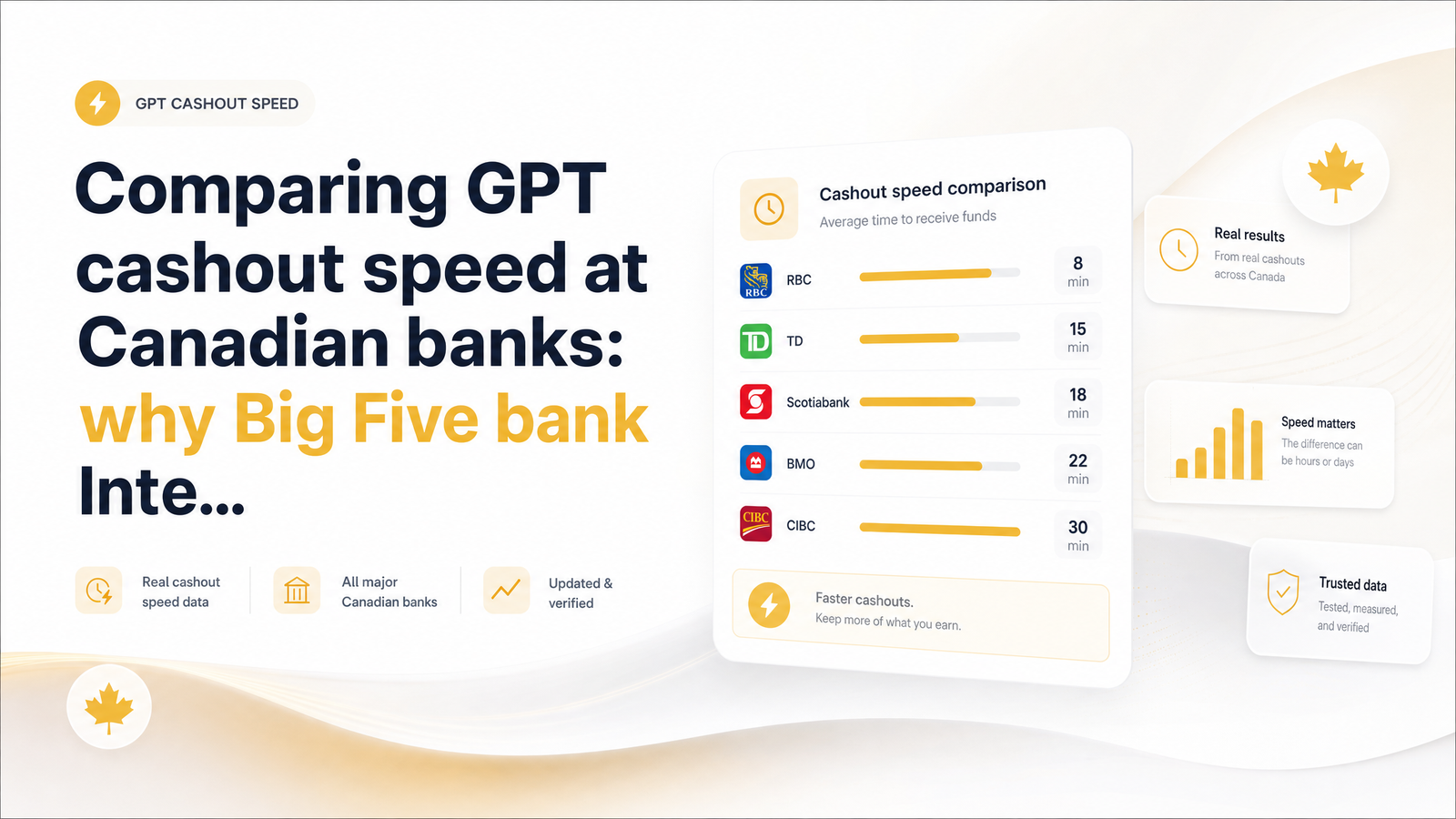
Why Your CashSprint Cashout Speed Depends on Your Bank
You cash out, the CashSprint dashboard shows "sent," and then you wait. Ten minutes pass, then twenty, then an hour, and you're refreshing your banking app wondering if something went wrong. Nothing did. What you're experiencing is one of the most common — and least explained — variables in GPT cashout speed Canada wide: which financial institution is on the receiving end.
Interac e-Transfer bank speed Canada differences are real, measurable, and largely predictable once you understand two things: how e-Transfer notifications actually work, and whether your account has Autodeposit turned on. Bank size plays a role, but it isn't the whole story — and by the end of this article you'll know exactly what to check before your next CashSprint payout so you're not left guessing.
How an Interac e-Transfer Actually Moves Behind the Scenes
An Interac e-Transfer isn't a single instant wire — it's a notification-and-acceptance system. When CashSprint sends your payout, Interac notifies your bank that funds are waiting. What happens next depends on your account setup.
If you have Autodeposit enabled, the funds land directly in your account with no further action needed — this is the closest thing to instant that Interac offers. If you don't, you (or your bank, depending on configuration) need to accept the transfer, sometimes by answering a security question tied to the email or text notification. That extra step — checking your inbox, clicking the link, answering the question — is where a lot of "why is this taking so long" frustration actually originates, before the money has even moved.
Interac's own guidance is that transfers are typically almost instant but can take up to 30 minutes, depending on your bank or credit union's processing cycle. That's a meaningful window: two accounts sending and receiving at the same moment can land 30 minutes apart purely because of how each institution batches and confirms transactions. For the full mechanics, Interac's own FAQ explains both the autodeposit vs security question paths and Interac's stated timing expectations directly from the source.
Big Five Banks vs Credit Unions: What Actually Differs
This is the part most generic "how long does e-Transfer take" articles skip, because they're written for splitting rent or gifting money between friends — not for someone watching a GPT balance convert to real cash. But the underlying banking infrastructure is exactly the same, and it explains the pattern CashSprint users report.
RBC, TD, BMO, Scotiabank, and CIBC — the so-called Big Five — process the overwhelming majority of Canadian retail transactions and have invested heavily in real-time transfer infrastructure. Independent comparisons back this up: Wealth Awesome's institution-by-institution breakdown notes that RBC, TD, and BMO tend to be near-instant for both sending and receiving, while some smaller institutions and credit unions can lag behind or, in edge cases, take hours to days.
Credit unions aren't poorly run — they're structurally different. Many don't operate their own direct connection into the Interac network and instead route transactions through a third-party processor or a central credit union association that batches transfers at intervals rather than processing them continuously. That batching is efficient for the credit union's back-end systems, but it introduces a delay layer that simply doesn't exist at institutions with direct, real-time rails. This is the essence of the credit union e-Transfer delay pattern: it's not that your money is lost or your credit union is careless, it's that the plumbing has an extra junction.
It's also worth noting, per Wikipedia's overview of Interac e-Transfer, that transfers between different institutions can take longer for the recipient's notice to arrive than transfers within the same institution's network — another reason two people at two different credit unions might see wildly different results. So if you're asking which is the fastest bank for Interac e-Transfer, the honest answer is: any Big Five bank with Autodeposit enabled, receiving from another well-connected institution, during business hours.
Other Factors That Matter More Than Bank Size
Before you blame your credit union entirely, it's worth ruling out the factors that affect every institution equally — because these are often the real culprit.
Autodeposit registration is the single biggest lever. A Big Five account without Autodeposit can sit pending just as long as a credit union account, because the transfer is waiting on you to accept it, not on the bank to process it. If you've ever wondered why is my e-Transfer taking so long only to find an unread notification email, this is almost always the answer.
Security question delays compound the same issue — if CashSprint or Interac attaches a security question rather than routing through Autodeposit, the transfer sits idle until it's answered correctly.
Fraud and security holds are common on first e-Transfer delay scenarios. Banks apply extra scrutiny to first-time transfers from a new sender, or to unusually large amounts, sometimes triggering a manual review that adds hours rather than minutes. If your first CashSprint payout was slower than expected, this — not your bank's general speed — is often why. Subsequent payouts from the same sender typically clear faster once that relationship is established in your bank's system.
Weekends and holidays matter more than people expect. While Interac's network itself runs continuously, the acceptance and batch-processing cycles at some institutions are staffed and monitored on business-day schedules. A payout sent Friday evening may not fully clear until Monday morning, regardless of whether you bank with a Big Five institution or a credit union.
How to Plan Your CashSprint Cashout Around Bank Speed
None of this means you're at the mercy of your bank. A little sequencing turns unpredictable waits into a routine that clears in minutes almost every time.
- Enable Autodeposit before you cash out. This removes the acceptance step entirely and is the single biggest thing you control in GPT cashout speed Canada terms.
- Request payouts on weekday mornings. This avoids weekend batching windows and ensures your transfer hits the network while your institution's processing is fully staffed.
- Avoid stacking large, unfamiliar transfers. If it's your first CashSprint payout, expect a possible review delay, and don't schedule a second large cashout right behind it.
- Learn your own institution's pattern. If you've had a slow first transfer, note whether the second one is faster — that tells you whether the delay was a one-time security check or a structural batching issue with your bank.
If you want a broader comparison of how Interac stacks up against PayPal and gift card payouts for overall speed, CashSprint's payout options ranked by speed guide walks through the full picture so you can choose the method that matches your urgency. And if you're newer to the platform, this overview of what CashSprint.ca actually is is a useful primer before you start cashing out at all.
Planning around these variables is what separates users who treat a pending transfer as a red flag from those who simply know their payout will land Monday morning instead of Friday night.
Frequently Asked Questions
Why did my CashSprint e-Transfer payout take longer than 30 minutes to arrive?
The most common causes are a missing Autodeposit setup, an unanswered security question, or a fraud/security hold on a first-time or unusually large transfer. Weekend or holiday timing can also push a payout past Interac's typical almost-instant-to-30-minute window. None of these indicate a problem with your CashSprint account itself.
Do credit unions really process Interac e-Transfers slower than big banks like RBC or TD?
Often, yes, because many credit unions route transfers through a third-party processor or central batching system rather than a direct real-time connection to the Interac network. Big Five banks like RBC, TD, and BMO tend to process both sending and receiving near-instantly, while some credit unions can take longer, occasionally hours in edge cases.
Does enabling Autodeposit make my GPT cashouts arrive faster?
Yes — Autodeposit removes the manual acceptance step, so funds land directly in your account without you needing to click a link or answer a security question. It's the single most effective way to speed up any Interac e-Transfer, including CashSprint payouts, regardless of which bank or credit union you use.
Will sending a cashout on a weekend or holiday delay when it clears?
It can, particularly at institutions whose acceptance and batch-processing cycles run on business-day schedules. A payout sent Friday evening may not fully clear until Monday morning even though the Interac network itself operates continuously.
Can I speed up a pending Interac e-Transfer once it's already sent?
Enabling Autodeposit for future transfers is your best long-term fix, but for an already-pending transfer, check your email or SMS for a security question notification and respond to it immediately, since that's often the only thing holding it up. If it's a first-time transfer under a fraud review, waiting it out is usually the only option.
Is a slow e-Transfer a sign something is wrong with my CashSprint account?
No — a delayed transfer almost always traces back to your bank's processing method, your Autodeposit status, or a first-transfer security hold, not to an issue on CashSprint's end. Once the payout shows as sent, it's in the Interac network's hands and following normal banking timelines.
Before your next payout, take two minutes to check whether Autodeposit is active on your account — it's the highest-leverage step you can take, more impactful than switching banks. Request your cashout during weekday daytime hours for the best odds of a near-instant clearance, and head to Cashsprint when you're ready to send your next payout.