
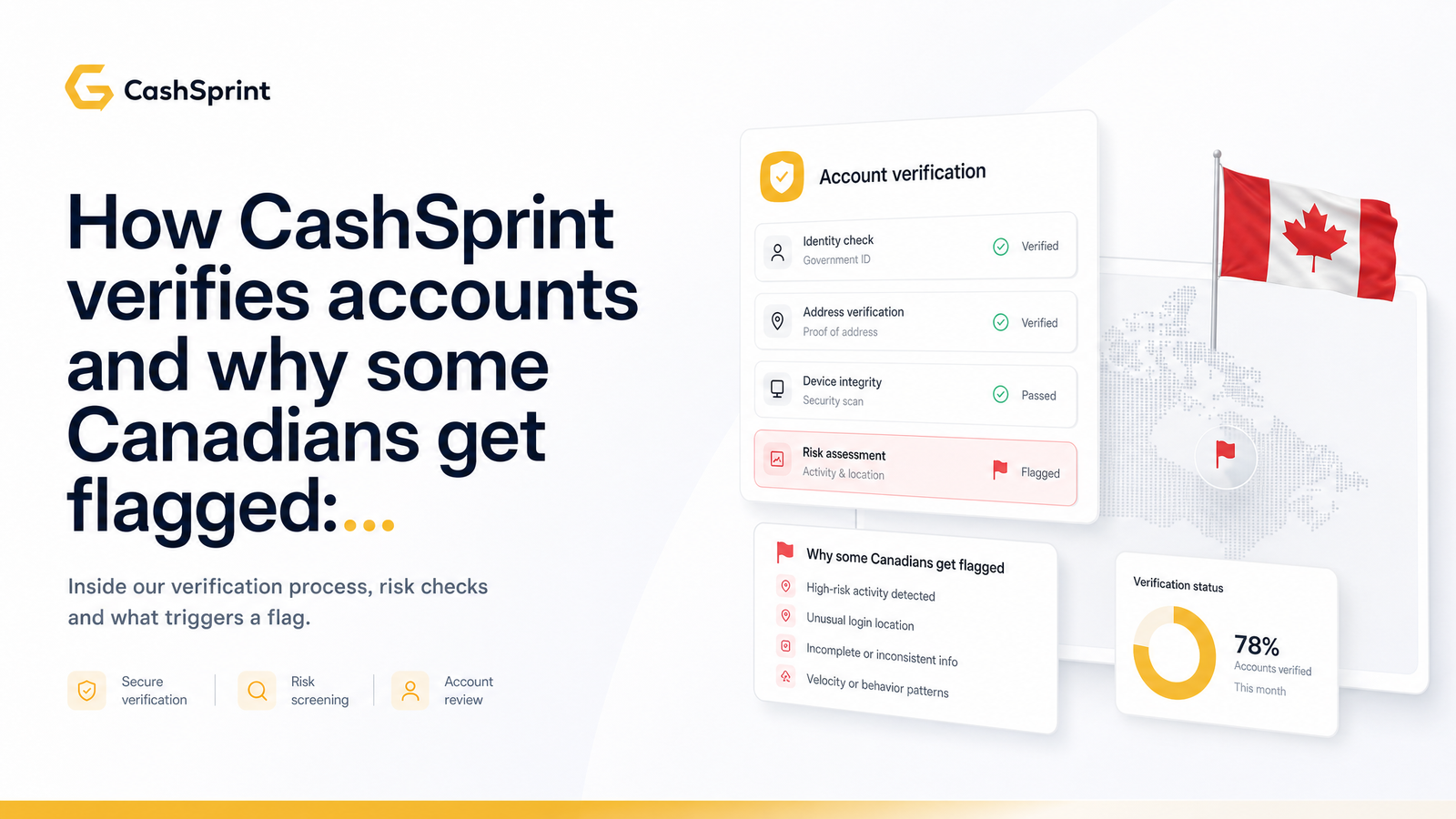
You cash out, expecting your money to move — and instead you get a message asking for ID. Is this a scam, or is something wrong with your account? Neither. For most Canadians, this is GPT account verification working as designed, and it's one of the most misunderstood moments in the get-paid-to experience.
This article explains why platforms like CashSprint verify identity, what triggers a review, why Canadians in particular get flagged for household or VPN reasons, and how to clear it quickly so your payout goes through.
Why GPT Platforms Verify Accounts At All
Identity verification isn't a CashSprint quirk — it's standard across the GPT industry, and it happens in two separate layers many users don't realize are distinct.
The first layer is platform-side fraud prevention. GPT sites are constantly targeted by bots, offer-fraud rings, and multi-accounting schemes creating dozens of accounts to farm sign-up bonuses or fake completions. Verifying identity confirms a real, single human is behind an account before releasing money. Without this, the reward pool that funds honest users' payouts gets drained by fraud.
The second layer sits entirely outside CashSprint's control: payout-side KYC. When you cash out via PayPal or an Interac e-Transfer-linked bank, those institutions run their own Know Your Customer checks under Canadian and international regulations. PayPal operates a formal Customer Identification Process (CIP) that can require ID independent of whatever CashSprint itself asks. Canadian financial intermediaries are also expected to align with FINTRAC guidance on identifying customers and monitoring transactions for money-laundering risk. So even a clean CashSprint account can hit an ID request simply because the receiving side of the payment wants confirmation of who's cashing out.
Put together, GPT account verification in Canada is less "gatekeeping" and more a shared checkpoint between the platform and the payment rails it depends on.
What Actually Triggers a Verification Request on CashSprint
Most reviews are triggered by predictable signals rather than random selection. Knowing them removes a lot of the anxiety.
Common triggers include:
- A first-time cash-out above a certain threshold. Larger or first-ever withdrawals get more scrutiny than small, repeat ones.
- Switching payout methods. Moving from gift card redemption to Interac e-Transfer or PayPal for the first time resets some trust signals the system had built up.
- A name mismatch between your CashSprint account and the name on the PayPal or Interac-linked account receiving funds.
- Rapid earning velocity — an unusually high volume of surveys, offers, or games in a short window compared to your normal pace.
- A new device or unfamiliar login location or IP address, especially if it differs from your established pattern.
- Active VPN use, which changes your apparent location and can look like the account is being accessed from somewhere it normally isn't.
None of these individually mean anything is wrong. They're the same signals any bank or payment processor watches for, and on their own they're just prompts for a check to confirm the account is legitimate before money moves.
The Most Common Reasons Canadians Get Flagged (and Most Are Fixable)
A few specific, very Canadian circumstances show up disproportionately often, and nearly all are self-inflicted in a completely innocent way.
Shared household Wi-Fi. If you and a spouse, sibling, or roommate both use CashSprint from the same home network — or even the same device at different times — the system can see overlapping IP addresses and device fingerprints and interpret that as a duplicate account rather than two family members. Device fingerprinting looks at browser configuration, hardware signals, and network data together, and a shared household naturally produces overlap. This is one of the most common flags for Canadians specifically, since multi-person households sharing one internet connection is the norm.
VPN use for unrelated reasons. Plenty of Canadians run a VPN for streaming access, privacy, or work security — not to game a rewards platform. But a VPN flag looks identical whether it's used for legitimate privacy or to mask location for fraud. If your IP suddenly reads as Toronto one day and a US or European city the next, that triggers review.
Name mismatches from a legal change or maiden name. If you married, divorced, or otherwise changed your legal name and your PayPal or bank account hasn't fully caught up with your CashSprint profile (or vice versa), the payout system sees two different identities trying to complete one transaction. This is one of the single most common reasons a payout gets stuck at the last step.
Inconsistent personal details across sign-up and payout. Small typos, nicknames used at sign-up, or an old address on file can combine with the above to push an account into review even when nothing fraudulent is happening.
The throughline: these are pattern-matching triggers, not accusations. Fixing the underlying mismatch resolves the flag.
What You'll Be Asked For — and How to Get Verified Fast
When CashSprint or the payout processor asks for documentation, it's typically limited to a small, standard set: a government-issued photo ID (driver's licence, passport, or provincial ID), sometimes proof of address (a utility bill or bank statement), and occasionally a selfie to match your ID photo. This mirrors what PayPal's own CIP process requests when it flags an account.
Exact-name matching matters because the platform, the payout processor, and your bank all need to agree that the same legal person owns the account, requested the cash-out, and receives the funds. A mismatch anywhere in that chain — even a missing middle name or a maiden name still on one account — can hold up an otherwise straightforward payout.
To move through review as fast as possible:
- Submit clear, uncropped, well-lit photos of your documents the first time.
- Make sure name, date of birth, and address match across your CashSprint profile and payout method exactly.
- Avoid resubmitting multiple times if you don't hear back within a day or two — repeated submissions can push your case to the back of the queue rather than speeding it up.
- Use your current legal name, not a nickname or shortened version, on both ends.
If you're deciding which payout method to use once verified, it's worth comparing options first — see the payout options ranked by speed guide, since some methods clear faster post-verification than others.
If You're Flagged: What To Do Next
If your CashSprint account is under review, follow a short, disciplined checklist:
- Don't create a second account. This is the worst reaction — it looks exactly like the duplicate-account pattern the system is designed to catch, and it will slow things down further.
- Contact support with your case or ticket ID ready, rather than starting a fresh conversation with no reference point.
- Match your legal name across your government ID, your CashSprint profile, and your PayPal or Interac-linked bank account before resubmitting anything.
- Give the review a reasonable window before following up — most checks resolve within a short, defined period, not weeks.
- Escalate through support if you've passed the normal review window with no update, rather than resubmitting documents repeatedly.
If you're unsure whether the whole platform is trustworthy in the first place, that's fair to ask before handing over documents anywhere — this evidence-based review of CashSprint walks through the broader legitimacy question in detail.
The best fix is prevention. Keep your CashSprint profile name, your payout method name, and your government ID consistent from the day you sign up, and you'll skip most of these delays entirely. Set that up correctly at Cashsprint, check the payout linking guidance in your account settings, and reach out to the support/help center early if anything looks off — before it holds up a payout you're counting on.
Frequently Asked Questions
Is it normal for a GPT site like CashSprint to ask for ID before I can cash out?
Yes — this is standard practice across the GPT industry, not a sign of a scam. It reflects both platform-side fraud prevention and payout-side KYC rules that PayPal, Interac-linked banks, and Canadian regulators like FINTRAC expect financial services to follow.
How long does account verification usually take on a GPT platform?
Most reviews resolve within a short, defined window of a day or two once clear, matching documents are submitted. Resubmitting multiple times before that window has passed can actually slow things down by pushing your case back in the queue.
Will using a VPN get my GPT account flagged in Canada?
It can, even if you're using it for unrelated reasons like streaming or general privacy. A VPN changes your apparent location and IP address, and a sudden location shift is one of the standard signals platforms watch for, so it can trigger a review regardless of your intent.
Can two people in the same house both have GPT accounts without getting flagged?
Yes, but shared Wi-Fi and devices increase the chance of a duplicate-account flag because the system sees overlapping IP addresses and device fingerprints. Using separate devices, accurate personal details, and contacting support proactively if flagged usually resolves it quickly.
What happens if the name on my ID doesn't match my PayPal or Interac account?
The payout typically gets held until the names align, because the platform, payout processor, and bank all need to confirm the same legal person is involved at every step. Updating your legal name consistently across your CashSprint profile and payout account clears this in most cases.
Can a flagged account still get paid out, or is it permanently blocked?
Yes, a flagged account almost always can still get paid out once verification is complete — a flag is a hold, not a ban. Submitting accurate documents, matching your legal name across accounts, and avoiding a second sign-up will get a legitimate account through review and released for payout.