
If you've ever watched a survey payout land in your CashSprint balance the same day, then stared at a "pending" cashback purchase for two weeks, you've probably wondered if something's broken. It isn't. Every cashback shopping portal in Canada — CashSprint included — runs on a tracking and confirmation chain that's controlled by retailers, not by the platform you clicked through. Understanding that chain is the difference between panicking over a missing purchase and knowing exactly when to expect it.
This guide walks through how a cashback shopping portal actually links your click to a purchase, why that link sometimes fails, and why cashback will always move slower than the survey and offer-wall earnings CashSprint credits directly.
How CashSprint's Cashback Portal Actually Links You to a Retailer
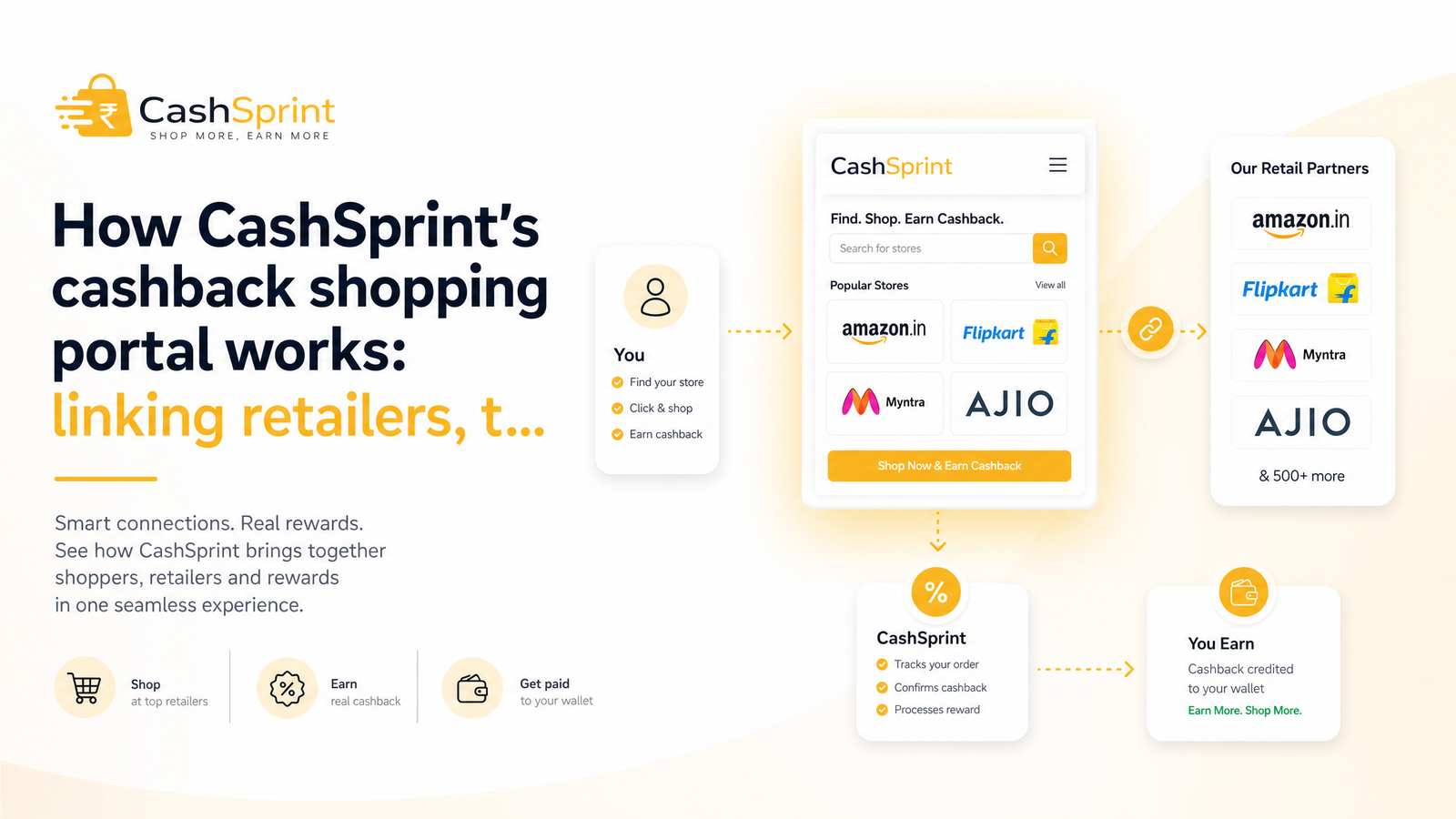
When you click a retailer tile on CashSprint, you're not going straight to that retailer's website. Your click first passes through an affiliate network — the infrastructure that connects cashback portals to thousands of retailers — which fires a cashback tracking link, drops a retailer tracking cookie (or a URL parameter, depending on the retailer's setup) in your browser, and then redirects you to the retailer's actual site. That cookie is what tells the retailer "this shopper came from CashSprint," which is what makes the eventual commission, and your cashback, possible.
This is click-through cashback, and it's the same mechanism used by every major portal, including the ones Canadians already recognize from the U.S. market. It isn't a CashSprint-specific quirk; it's the standard plumbing of affiliate marketing, and ShopBack's own guide to cashback tracking explains the identical process. Once that cookie is set and you complete a qualifying purchase, the retailer's system logs the sale as coming from CashSprint's affiliate link — and that's the trigger for everything that follows.
Why the Click Has to Be the Last Step
Cashback tracking runs on last-click attribution: whichever tracking link touched your browser last, right before checkout, gets credit for the sale. That single rule explains almost every case of cashback not tracking.
If you click through CashSprint, then open a coupon browser extension to hunt for a discount code, that extension often fires its own tracking link — silently overwriting CashSprint's cookie. Same story if you switch from your browser to the retailer's app mid-shop, open a new tab and navigate to the retailer directly, or land on the retailer's site again through a different deal site, a cashback comparison page, or an email link after your original CashSprint click. An ad blocker can cause a different kind of failure: some ad blockers strip tracking parameters or block the cookie from being set in the first place, so the click never registers at all.
The practical takeaways are simple:
- Do click through CashSprint last, immediately before you start shopping — not hours earlier.
- Do complete your entire visit, from tile click to final checkout, in one browsing session.
- Don't open coupon extensions, browser assistants, or other deal sites after clicking through CashSprint.
- Don't switch from browser to app partway through — pick one and stay on it.
- Consider disabling ad blockers for the retailer's checkout, or use a browser without one active, if you've had tracking issues before.
Keeping that chain unbroken is the single biggest factor in whether a purchase tracks at all.
From Pending to Confirmed: What Happens Behind the Scenes
Once a purchase tracks, it doesn't become spendable cashback overnight — it enters a cashback pending status, and that's normal, expected behaviour rather than a red flag.
Here's the sequence: the retailer records your sale internally and reports it to the affiliate network, which is when CashSprint shows it as pending. From there, the retailer waits out its own return and cancellation window — the same window that applies to any customer, cashback or not — before it finalizes the sale and pays the affiliate commission. Only after the retailer releases that commission does CashSprint receive confirmation and move your balance from pending to cashback confirmed status.
The critical point: the retailer sets this clock, not CashSprint. A portal can't confirm cashback on a sale until the retailer itself confirms the sale won't be returned, canceled, or disputed. TopCashback's explanation of cash back statuses draws the same distinction between confirmed and payable — confirmation means the retailer has paid out; payable/withdrawable status is often a separate step after that.
Why Cashback Confirms Slower Than Surveys or Offers
This is the core reason cashback and survey earnings feel so different, and it comes down to who controls the money. Survey and offer-wall crediting is CashSprint-controlled: once a partner confirms you completed a survey or offer, CashSprint can credit your account almost immediately, or within a few days for quality checks. There's no third-party retailer, no return window, no external commission to wait on.
Cashback money, by contrast, comes from a real product sale made through a real retailer. That retailer needs time to confirm the order shipped, wasn't returned, and wasn't fraudulent before it releases commission — and CashSprint can only pass along cashback it has actually received. That's the entire explanation behind why cashback takes longer: it's not a platform delay, it's a supply-chain delay. If you want a deeper side-by-side on how these two earning methods compare for payout speed and volume, the survey sites vs. cashback apps breakdown covers it in more depth.
Typical Tracking Windows by Category
Expectations should be set by category, not by a single universal number. As a general guide:
- Standard retail (clothing, electronics, home goods): Purchases usually appear as pending within a day or two of tracking, then take roughly one to three weeks to move to confirmed, once the retailer's return window closes.
- Subscriptions and memberships: Confirmation is often tied to the renewal or trial period ending, which can push it well beyond three weeks.
- Travel bookings (flights, hotels, car rentals): These frequently don't confirm until after the trip is completed, since cancellations are common right up to departure.
Rakuten's stated confirmation windows and ShopBack's category breakdown both reflect similar ranges, which is useful cross-referencing if you want to confirm this isn't a CashSprint-specific pattern. If your purchase falls within these windows, it's on track — not stuck.
What to Do If Cashback Doesn't Track
If a purchase isn't showing at all after a reasonable window, work through this checklist before assuming the worst:
- Check the retailer's stated tracking time on CashSprint before contacting support — some retailers take longer than others to even show as pending.
- Retrace your steps for any coupon-extension detours, app switches, or extra tabs opened after your CashSprint click.
- Keep your receipt and order number on hand; you'll need them to prove the purchase happened and when.
- Confirm your click actually landed on CashSprint's tracking link (not a bookmark or direct search result) before you shopped.
- File a missing-cashback claim through CashSprint support once you've passed the stated tracking window, providing your order number, purchase date, and order total.
Filing a claim is the normal, expected fix for a cashback didn't-track situation — it's not an accusation, and it's how the affiliate network investigates with the retailer directly. If you've had doubts about CashSprint's reliability generally, the evidence-based legitimacy review addresses that head-on with a broader look at how the platform operates.
Before your next purchase, it's worth checking the retailer's page on CashSprint for its stated tracking window, and once your cashback confirms, the payout options ranked by speed guide will help you choose between Interac, PayPal, and gift cards based on how fast you want your cash out. Ready to put this into practice? Browse the retail partners on Cashsprint and start a purchase with realistic expectations for when that cashback will land.
Frequently Asked Questions
How does a cashback shopping portal actually track my purchase?
It works through a tracking link and cookie: clicking a retailer tile fires a link through an affiliate network, which drops a tracking cookie or URL parameter in your browser before redirecting you to the retailer. When you complete a qualifying purchase, the retailer's system reads that cookie and attributes the sale to CashSprint, triggering the cashback. This click-through mechanism is industry-standard, not specific to any one portal.
Why does my CashSprint cashback show as pending instead of confirmed?
Pending status means the retailer has recorded your sale but hasn't yet finished its own return or cancellation window. CashSprint can only move cashback to confirmed once the retailer finalizes the sale and pays out the affiliate commission. It's an expected stage in every cashback transaction, not a sign anything went wrong.
Why do survey and offer earnings post faster than cashback?
Survey and offer-wall crediting is controlled directly by CashSprint and its partners, so earnings can post almost immediately or within days once completion is verified. Cashback depends on an external retailer's sale, return window, and commission payment, adding weeks that are entirely outside CashSprint's control. The money source is different, so the timeline is different.
What can stop a cashback purchase from tracking at all?
Common culprits include ad blockers that strip tracking parameters, coupon browser extensions that fire a competing tracking link, switching from browser to app mid-purchase, opening a new tab, or visiting the retailer through another deal site after your CashSprint click. Because tracking relies on last-click attribution, any of these can overwrite or block the original click before checkout.
How long is normal for cashback to move from pending to confirmed?
Standard retail purchases typically take one to three weeks after the order first tracks, while subscriptions and travel bookings can take considerably longer, sometimes not confirming until after a renewal or completed trip. These windows are set by the retailer, not CashSprint, and vary by category and merchant.